
Mobile App Development
30 resources created by 22 users
This Mobile App Development page on GoConqr gathers community-made mind maps, flashcards, quizzes, notes and flowcharts, from Android activities and intents to iOS Cocoa Touch, Cordova, Ionic and Flutter. It's built for university students filling gaps, school students revising a topic, and teachers after ready-made material. There are over 480 resources here, including more than 10 quizzes, over 400 mind maps and more than 40 flashcard decks, at both university and secondary level. Pick a deck or map, try a quiz to find your gaps, then make your own.
Top Mobile App Development resources
-
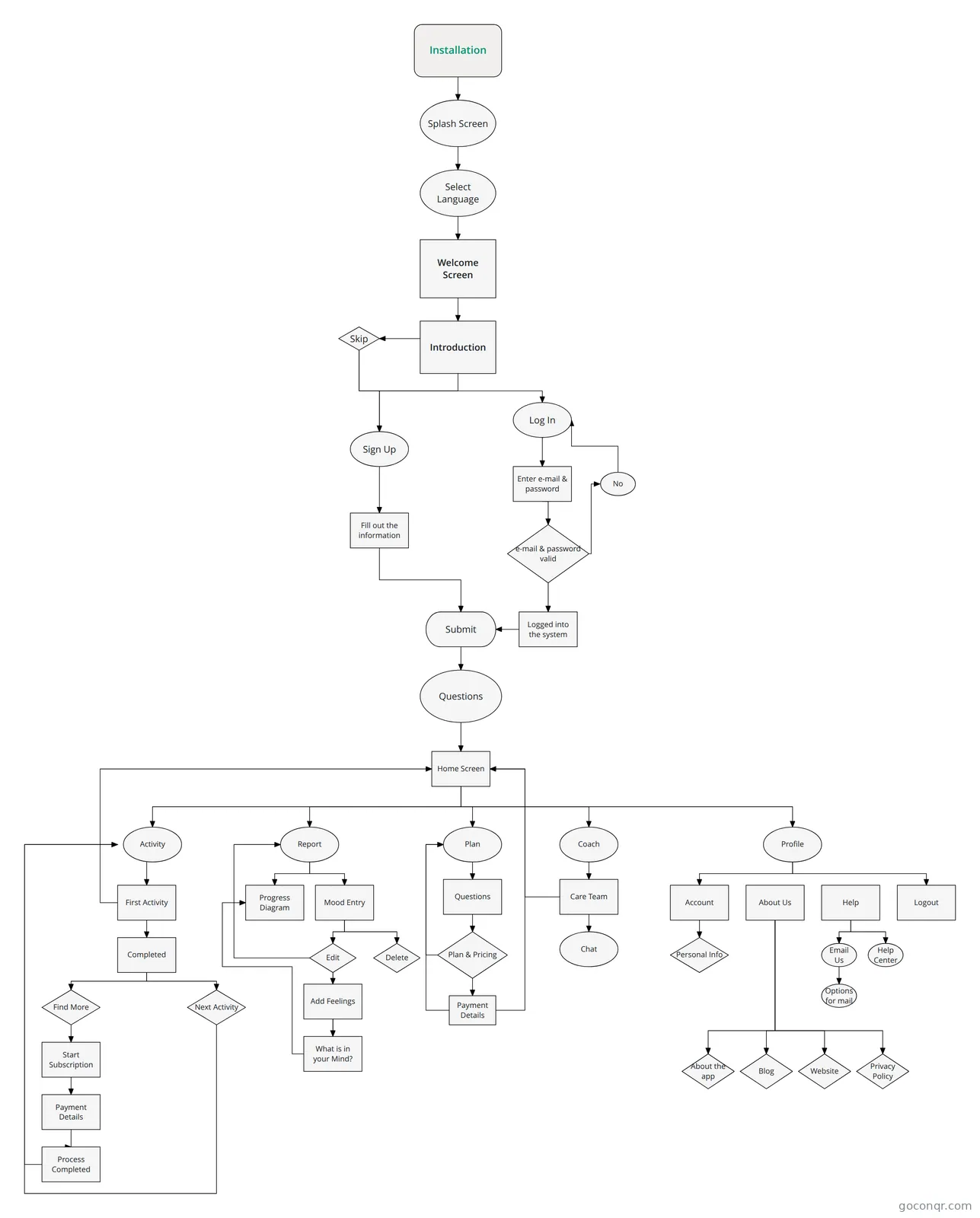
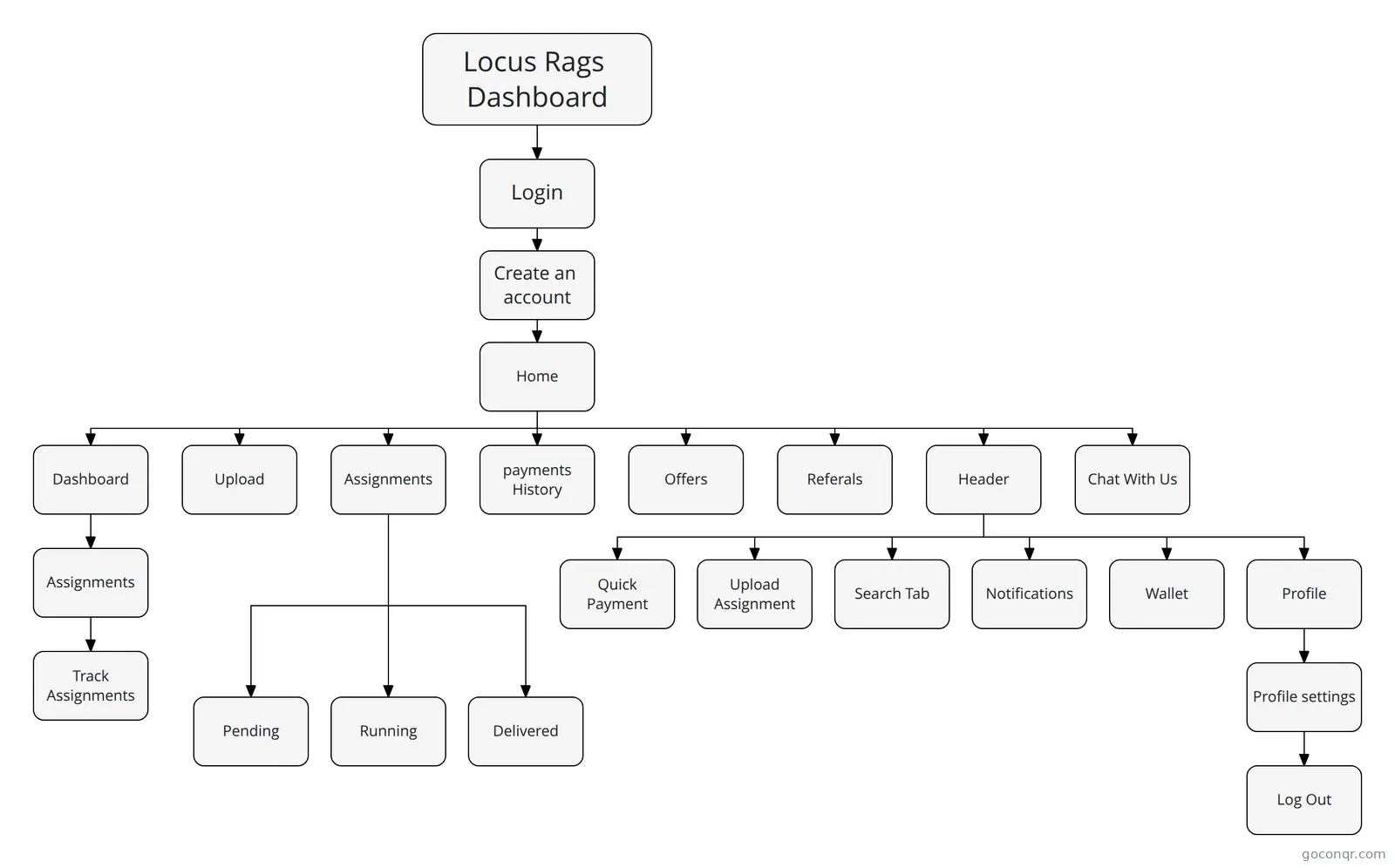 Flowchart Locus Dashboard User Flow
-
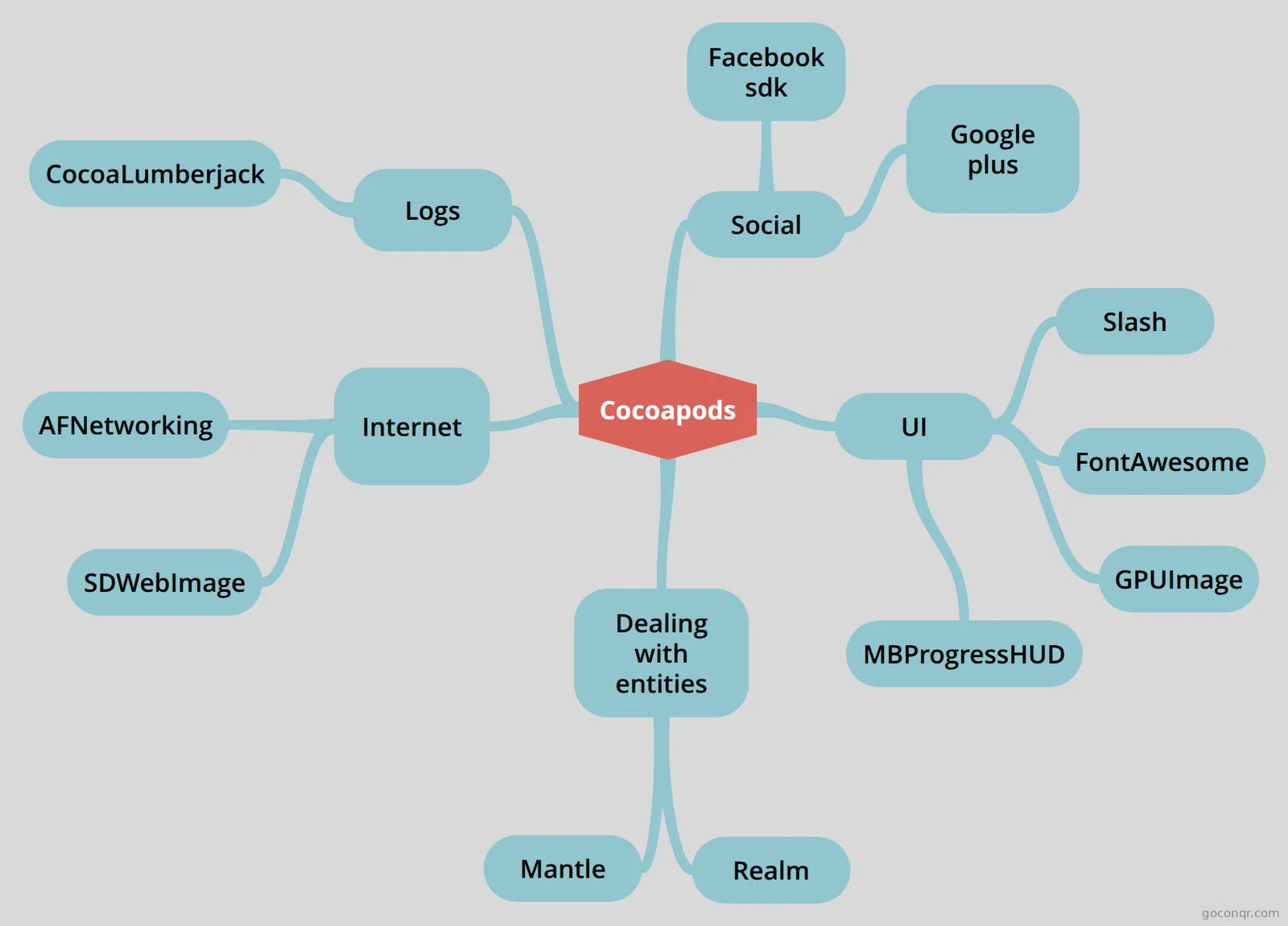 Mind map Cocoapods A track of the best cocoapods available to be used
-
23 cardsAndroid Interview Questions What are the 4 Java classes related to the use of SENSORS in android?
-
24 cardsServices What is a Service?
-
14 cardsAndroid Questions refined What is Sensor?
-
38 cardsApps design & dev - 1st Partial Exam Apps Design and Development 1st Partial Exam
-
20 cardsMobile App Development - Lecture 3 Width and height of a widget can be:
-
Mind map Mobile programming concepts Maria Alejandra Hernandez 9F
Mind maps
See all 11 mind maps-
Cocoapods A track of the best cocoapods available to be used
-
Mobile programming concepts Maria Alejandra Hernandez 9F
-
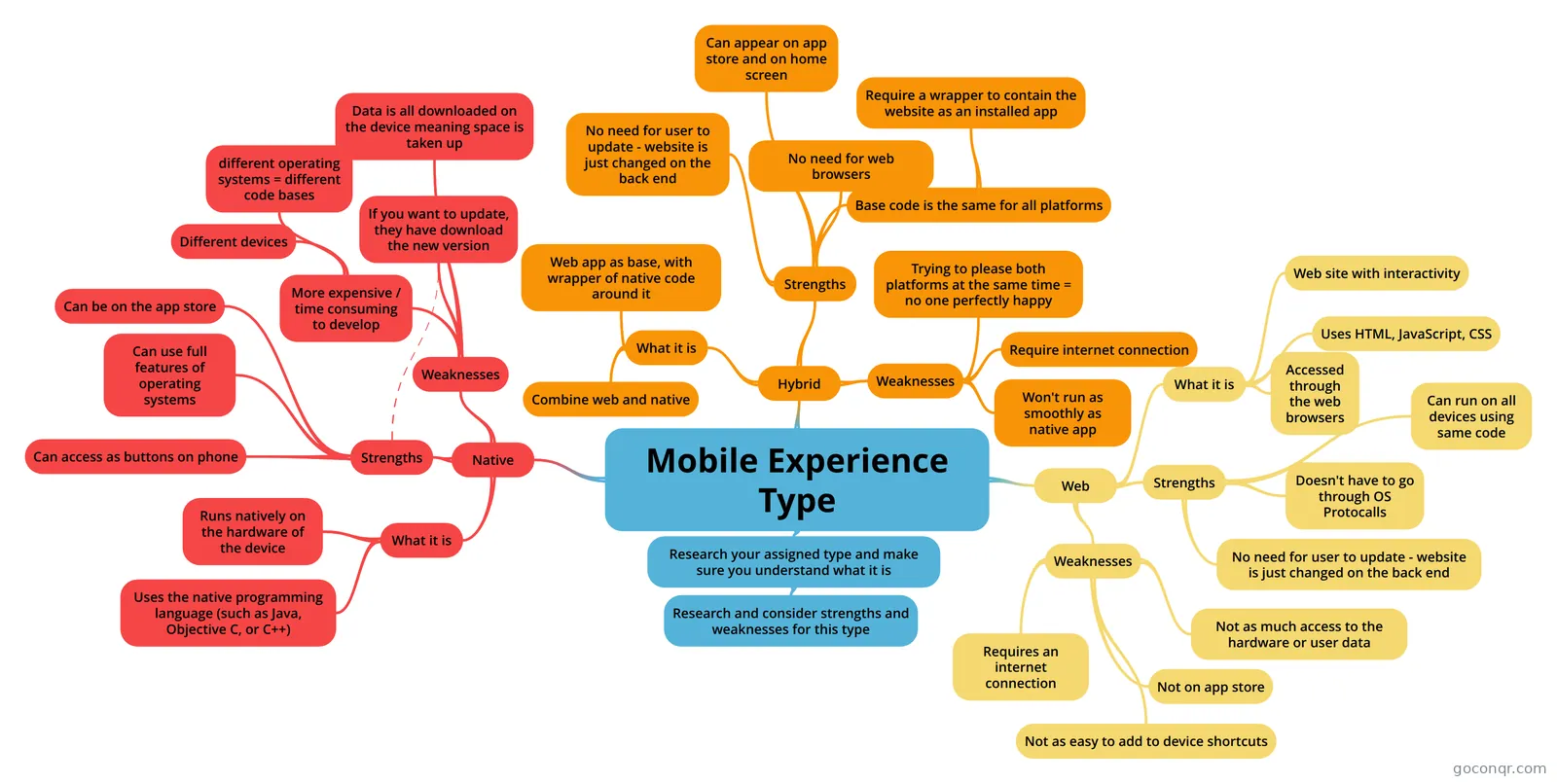 Mobile Experience Type
-
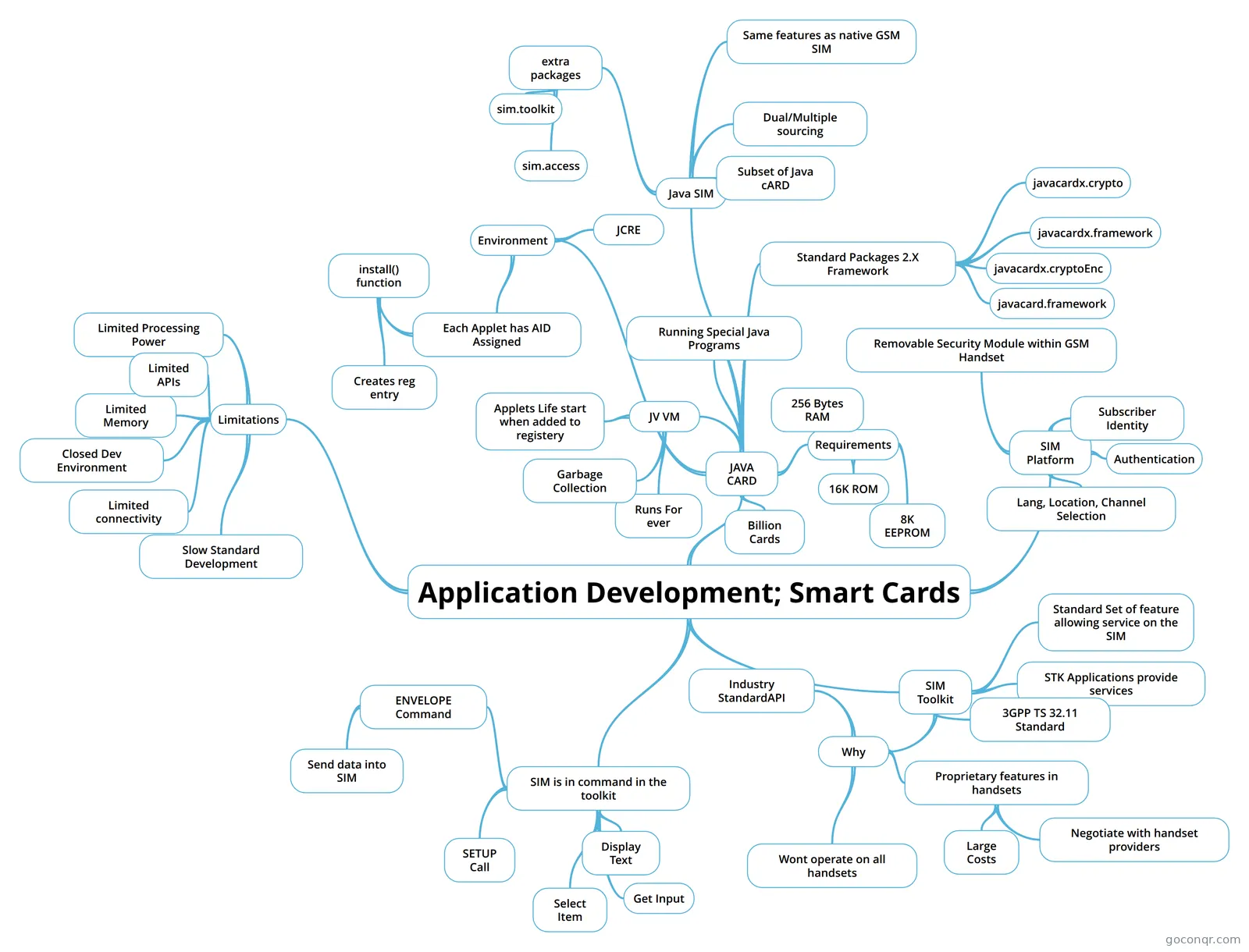 Application Development; Smart Cards
-
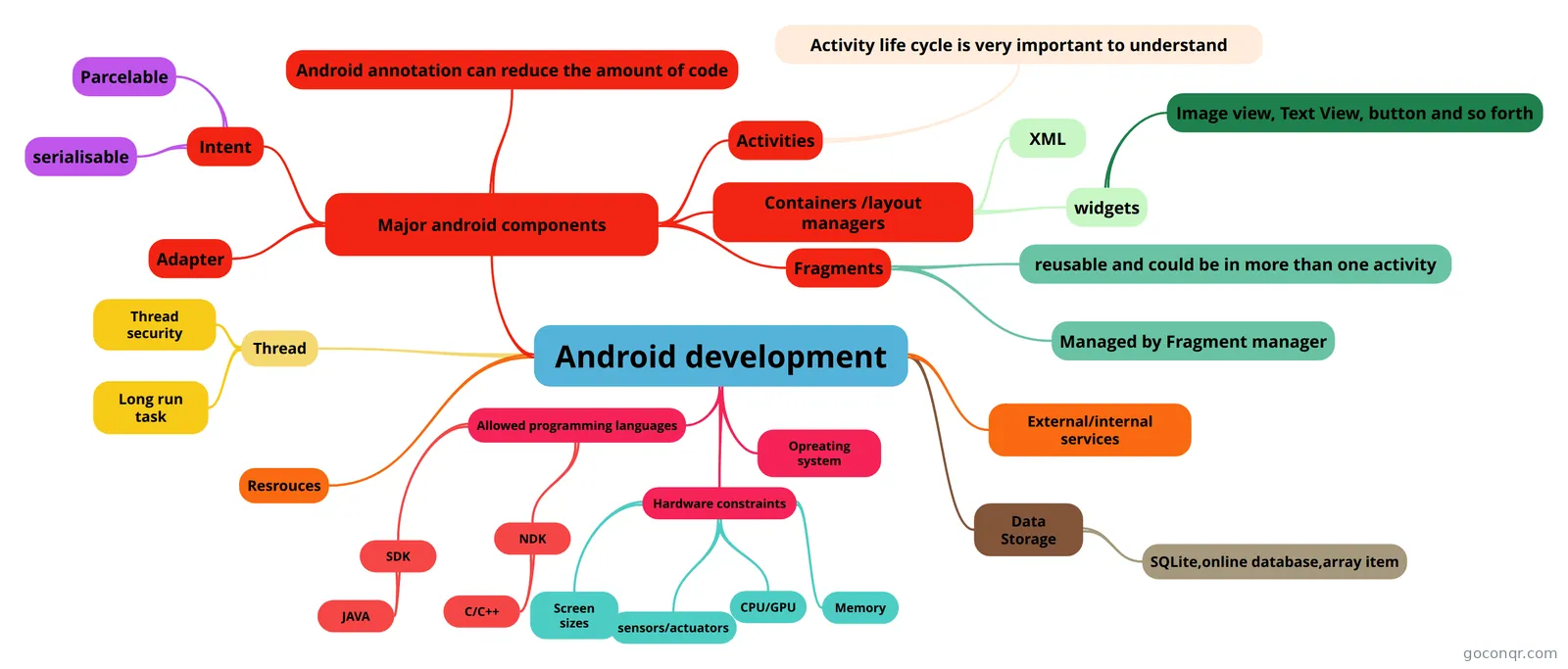 Android development
-
Mobile programming concepts popo chichi caca mari castellanos
-
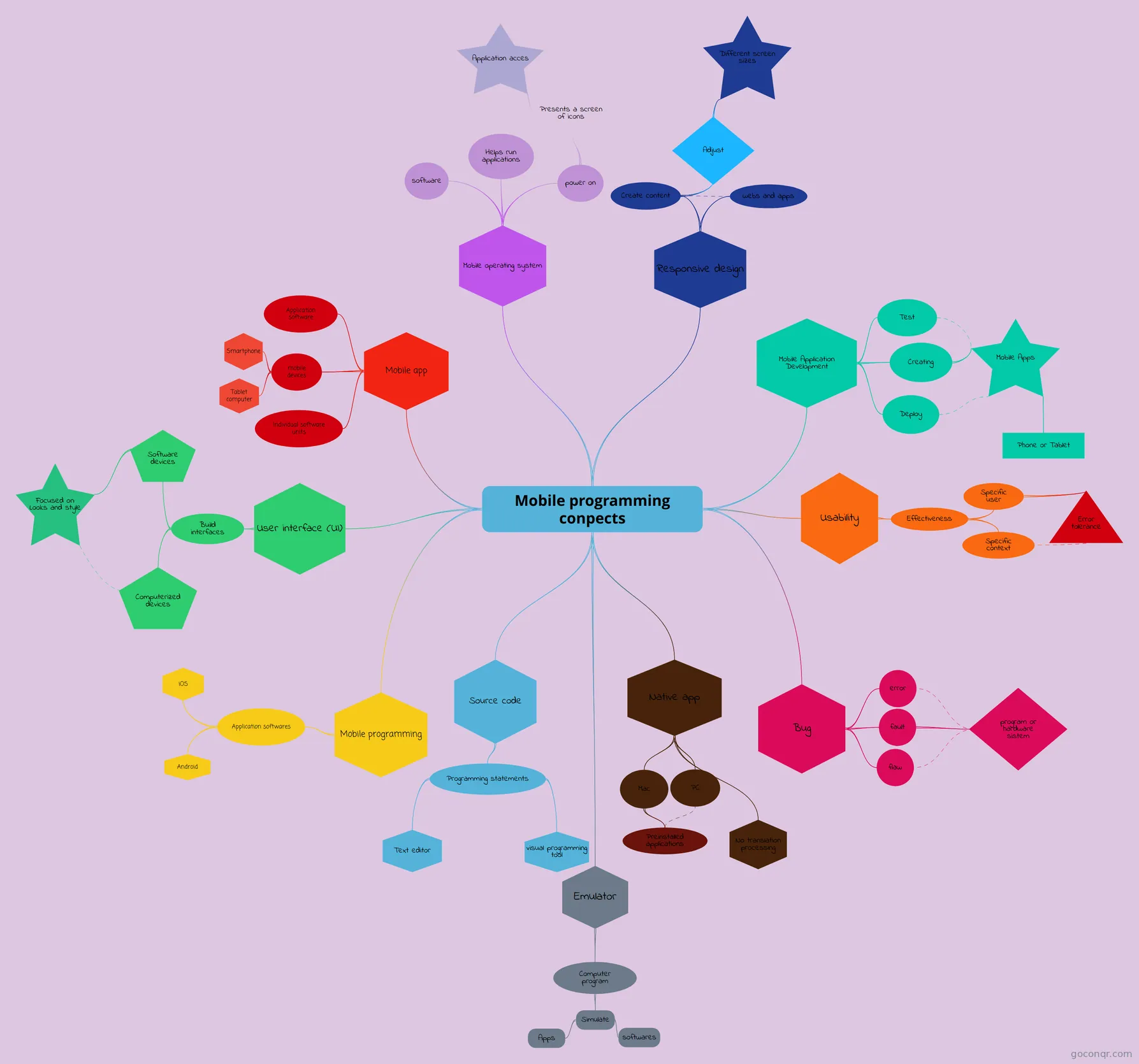 Mobile programming conpects My apps
-
before programming concepts It first proyect 9B
Flashcards
See all 15 flashcards-
23 cardsAndroid Interview Questions What are the 4 Java classes related to the use of SENSORS in android?
-
24 cardsServices What is a Service?
-
14 cardsAndroid Questions refined What is Sensor?
-
38 cardsApps design & dev - 1st Partial Exam Apps Design and Development 1st Partial Exam
-
20 cardsMobile App Development - Lecture 3 Width and height of a widget can be:
-
18 cardsActivities What is an Activity?
-
8 cardsAndroid Interface Definition Language AIDL Data types
-
7 cardsLaunch Modes - Manifest and IntentFlag values the values of the specified "Launch Modes" of Manifest and IntentFlags
Flowcharts
Notes
Slides
More Computing and ICT (programming, computer science, digital skills, educational technology) topics
About Mobile App Development
GoConqr OriginalWhat the page covers
Most of the material here is Android-focused, with a good share on iOS and cross-platform tools. The mind map Android development sets out programming languages, major components, activities, layout containers, fragments and hardware constraints such as screen sizes, CPU/GPU and memory. The iOS side appears in Creating Data Driven Mobile Applications, which covers Cocoa Touch, protocols, delegation, UIKit, view controllers, segues and Core Data. The Cocoapods map lists libraries such as Realm, AFNetworking and SDWebImage.
Where to start
Begin with the broad maps on mobile programming concepts. Many students have made their own versions, so you can compare a few. Mobile Programming Concepts - Juliana Cuevas 9C opens with mobile apps, devices and mobile operating systems. Then move to Software Development for Mobile Devices, which covers the activity life cycle, intents, bundles and layouts.
- Read a concepts map to get the vocabulary.
- Work through the flashcards Building Blocks of Android (Definitions), which asks what an activity, intent, service, content provider and broadcast receiver are.
- Move on to Android Fundamentals and Options for Data Storage.
- Look at the notes Getting started with Cordova and Getting started with Ionic if you want hybrid apps.
Using quizzes and maps together
Read a map first, then take a quiz such as Android UI or Mobile Computing. Wherever you lose marks, go back to the matching branch of the map and the flashcards. Repeat until the answers come easily. Decks like Activity vs Fragment and Android Intents suit short, focused sessions.
Where it sits
This unit belongs to the strand Web, Mobile, Games and Digital Media in Computing and ICT. It sits alongside other digital-media topics, but here the focus is building apps for phones and tablets.
Choose one map that matches your course, work through it, and then see what you can make for yourself.
Frequently asked questions
Which resource should I open first?
Start with a mobile programming concepts mind map, such as the one by Juliana Cuevas 9C. It introduces apps, devices and mobile operating systems. After that, the flashcards Building Blocks of Android (Definitions) cover the main Android components in short, easy questions.
What do the mind maps cover?
They range from general mobile programming concepts to Android components, activity life cycle, layouts and data storage. Others cover iOS topics such as Cocoa Touch and Core Data, plus libraries listed in the Cocoapods map. There are also maps on Flutter and content providers.
Are the resources free to use?
Yes. Every resource on this page is free to open, study and take, with no account needed. They were made by GoConqr users, not by GoConqr itself, so it is worth comparing a few versions of a topic.
Which levels are these resources for?
The page is aimed at university students and school students, with a roughly even split between the two, plus teachers looking for ready-made material. Some quizzes are labelled as midterms or finals, so check that the content matches your course.
Are there quizzes on both Android and iOS?
Yes. There are Android quizzes such as Android UI and Android Developer Testing, and iOS ones including iOS Interview and IOS MT. There is also a MIT App Inventor quiz for block-based app building.
What if I can't find my topic?
Try a nearby resource first, such as the Android Intents flashcards or the Introduction to Content Providers map. If something is still missing, a free account lets you save quiz scores and build your own quizzes, maps, flashcards and notes.