
Health and Safety in ICT
36 resources created by 29 users
This Health and Safety in ICT page on GoConqr gathers community-made mind maps, flashcards, notes, slides and quizzes, from ergonomics and repetitive strain injury to eye strain, back pain and the risks of playing computer games. It's built for school students revising the topic and teachers after ready-made material. There are over 200 resources here, including more than 140 mind maps and over 30 flashcard decks, all at secondary level and some tied to GCSE ICT, GCSE Computer Science and A-level ICT. Browse a few maps, then test yourself.
Top Health and Safety in ICT resources
-
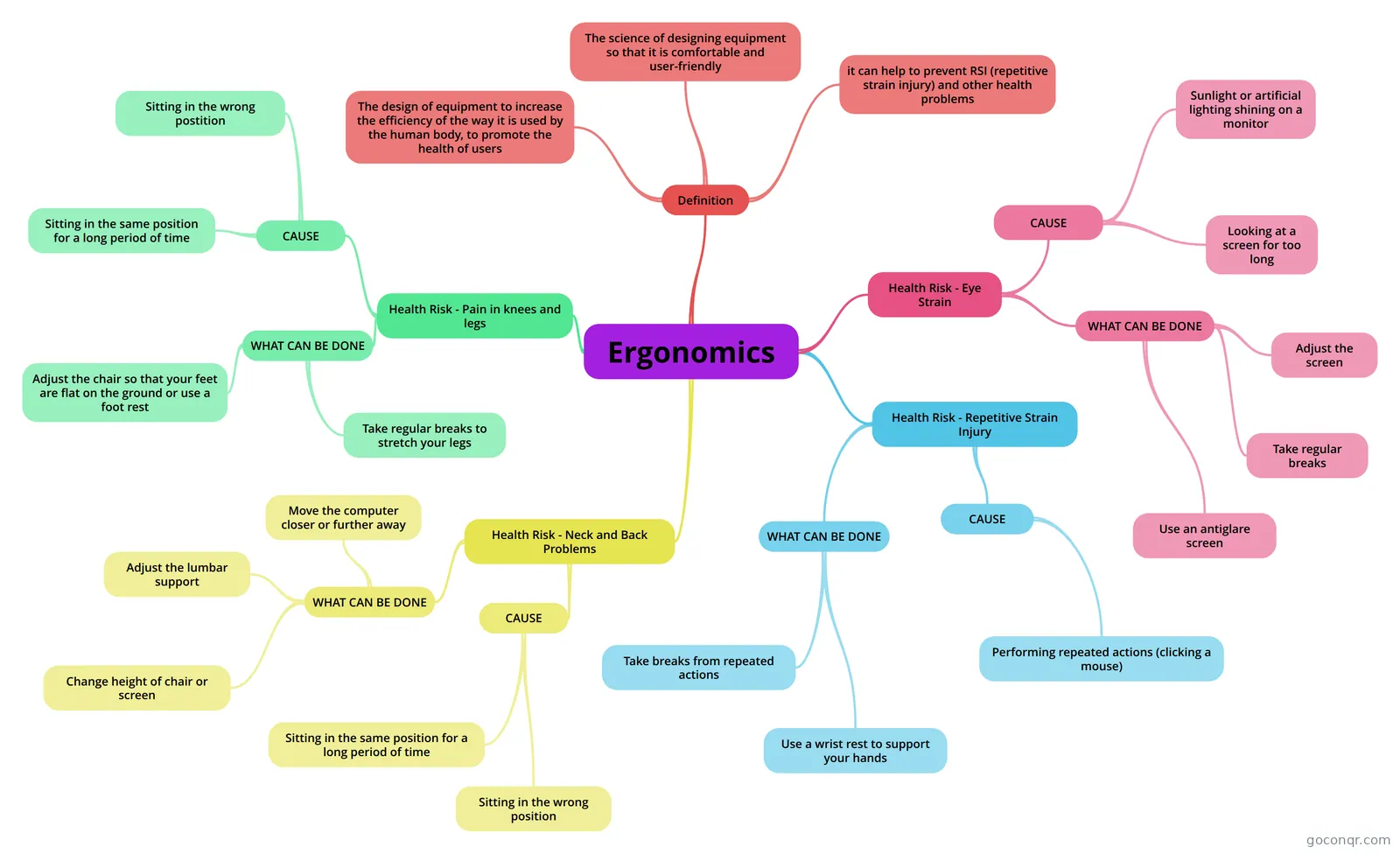 Mind map Ergonomics
-
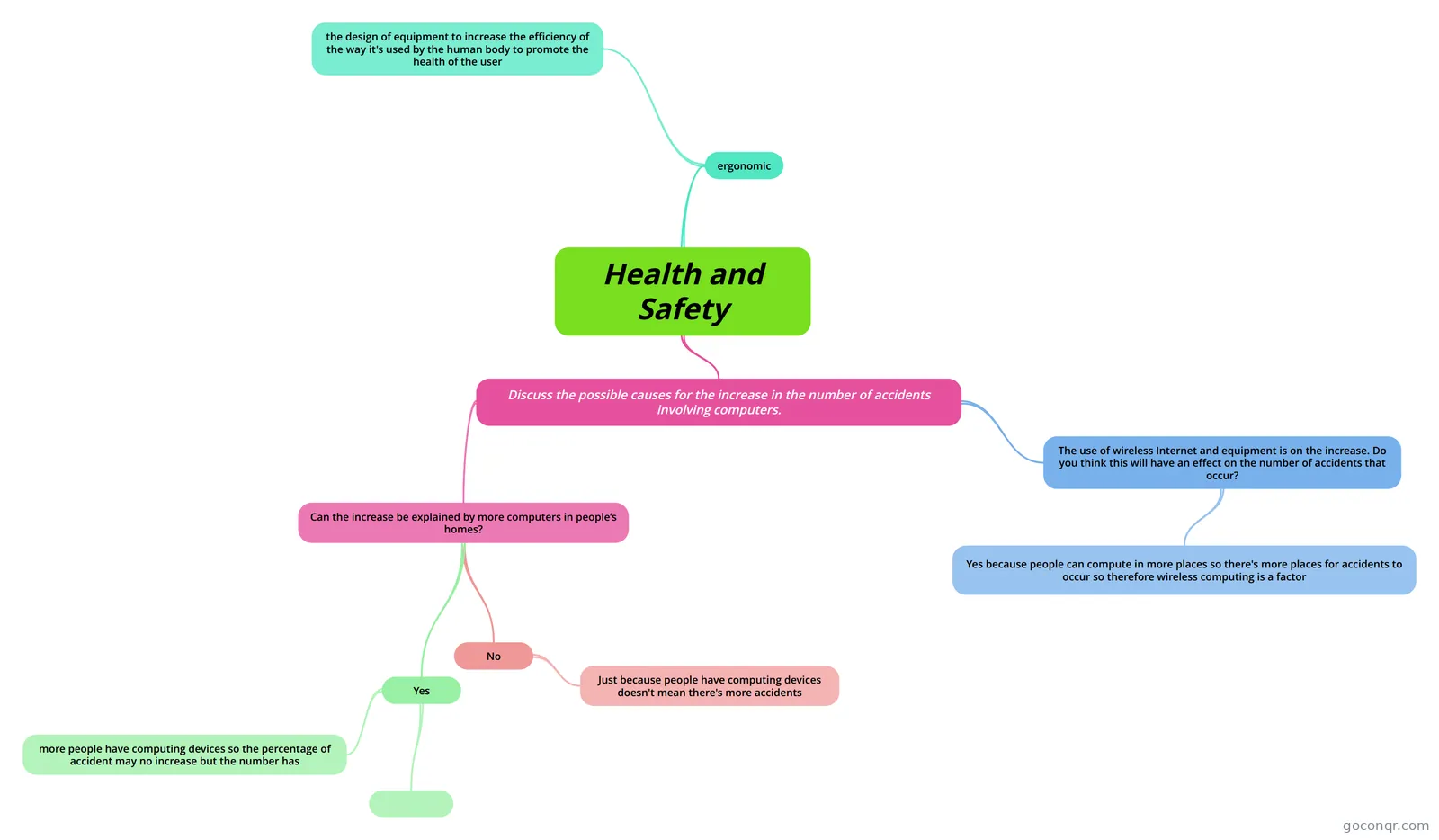 Mind map Health and Safety
-
Mind map ERGONOMICS
-
Mind map Chapter 7
-
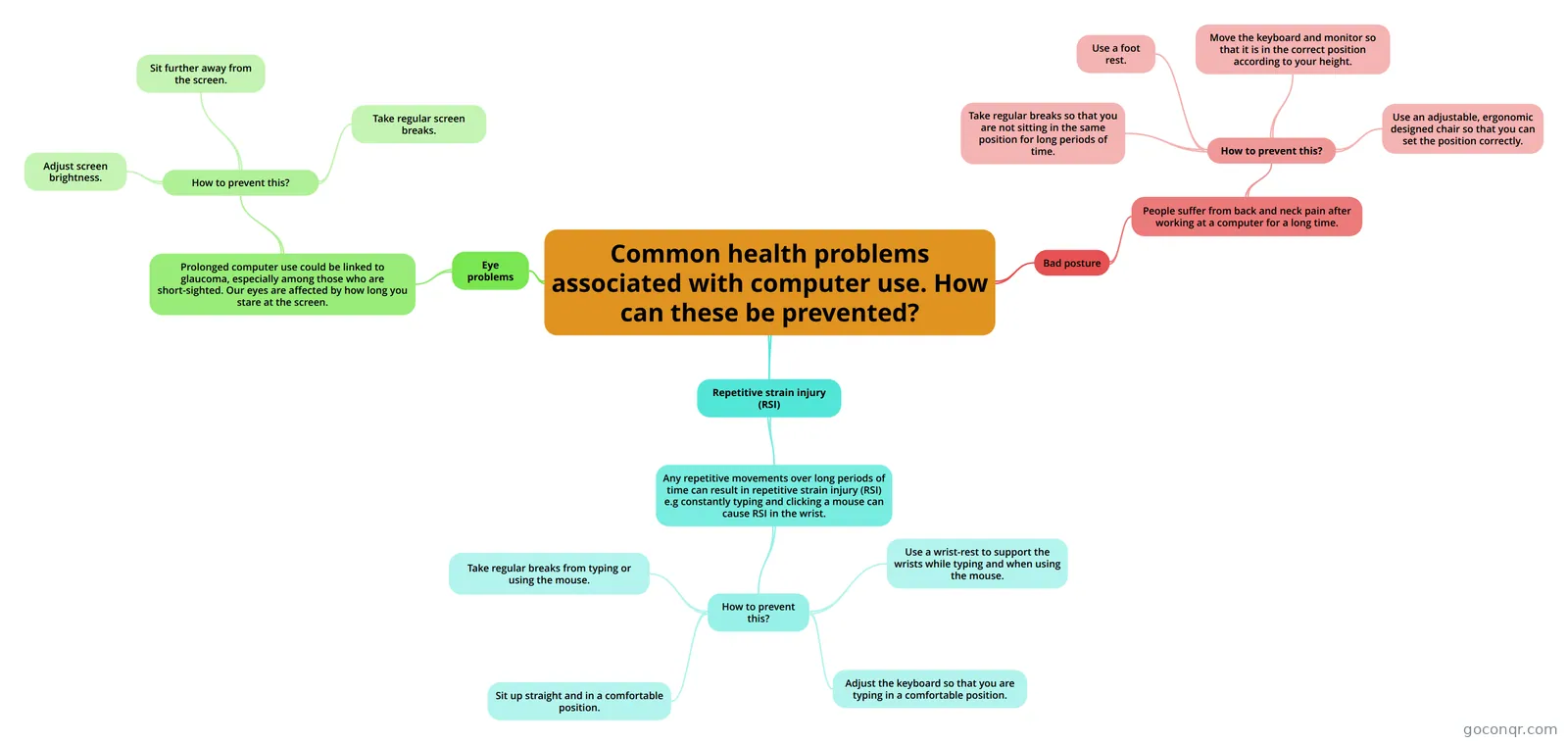 Mind map Common health problems associated with computer use. How can these be prevented?
-
Mind map Preventing and treating computer related injuries.
-
12 cardsICT RSI- Repetitive strain injury
-
Mind map Health Issues Unit 1 Section 18 Health Issues
Mind maps
See all 21 mind mapsFlashcards
-
12 cardsICT RSI- Repetitive strain injury
-
7 cardsChapter 7 - Health and Safety at work What is health and safety act and when was it introduced?
-
9 cardsHealth and safety amy yearl Health and Safety
-
4 cardsPros of health and safety Tripping Can be caused by loose wires being left around where people could trip over them.
-
4 cardsPros of Health and Safety Solutions for RSI.
-
3 cardsSolutions to injuries How to treat RSI (Repetitive stain injury)
-
3 cardsChapter 7-Health and Safety at work
Notes
-
Healthy and safety. Reports of other Wii injuries have included painful swelling of tendons triggered by playing tennis on the machine. The Nintendo Wii can cause damage to the body called The Wii Knee. The Nintendo Wii can cause i...
-
Negative effects and ways to combat them. ICT can contribute to obesity due to inactivity. Use of ICT should be balanced with other activities. People can always access their work, even on holiday or in the evening, so can become ill or stressed as they...
-
Ergonomic Definition An object designed to provide maximum comfort and to reduce the risk of stress or injury. Examples Ergonomic chairs. These improve posture, reduce back pain, etc.Ergonomic keyboards. These re...
-
HEALTH AND SAFETY - NOTES what does ‘ergonomic’ mean? The design of equipment to increase the efficiency of the way it used by the human body to promote the health of the user. Can the increase be explained by more computers in peop...
-
Health & Safety What is Ergonomic? Intended to provide optimum comfort and to avoid stress or injury. Eye strain can be caused by staring at a screen for a long time this can be prevented by a screen filter and take regular breaks fr...
-
Can you think of examples of how digital technology improves people’s health and well-being? Playing games by using digital technology can be recreational and fun which improves your health and well-being because it will relieve stress. Using digital technology by playing games will help improve your creativi...
-
Increase in more computers in peoples homes. Discuss the possible causes for the increase in the number of accidents involving computers. By having computers in the home, could mean the computer is getting over heated and it could blow up causing accidents. By h...
-
Ergonomic What is ergonomic design? Designing equipment with comfort, safety and efficiency. People are kept in mind so that the product promotes the health of the individual.
More Computing and ICT (programming, computer science, digital skills, educational technology) topics
About Health and Safety in ICT
GoConqr OriginalWhat this unit covers
The unit centres on how using computers can affect the body and mind, and what people can do about it. Most of the page is mind maps, with notes, flashcard decks, a slide set and two quizzes alongside them. All of it was made by GoConqr users.
Where to start
Begin with the idea of ergonomics. The mind map Ergonomics defines it as the design of equipment to increase efficiency and promote the health of users. The mind map What does Ergonomic mean? adds that ergonomics is not limited to the workplace, and many objects in the home count too. The notes called Ergonomic give examples such as ergonomic chairs and keyboards.
Health problems and prevention
Next, move to the problems themselves. The mind map on common health problems associated with computer use looks at eye problems, bad posture and repetitive strain injury (RSI), and asks how each can be prevented. A separate map on RSI explains that it covers problems caused by frequently repeated movements. The map on preventing and treating computer related injuries sets out treatment and prevention side by side.
The notes on negative effects and ways to combat them go further, covering inactivity, obesity and the stress of being able to reach work at any hour. The wide mind map titled Health and Safety with The Law, Ergonomics, Physical Problems and Emotional Problems branches pulls these ideas together, including lighting, chairs, desks and employer obligations.
Using maps, flashcards and quizzes together
- Read two or three maps and note the key terms.
- Work through a flashcard deck such as Health and Safety Definitions.
- Take a quiz, such as How to avoid damging yourself when playing games, and see which points you missed.
- Go back to the map that covers the gap.
Many decks follow a chapter on health and safety at work, so check which one matches your course.
Where it sits
This unit belongs to the strand Security, Safety, Ethics and Society in the subject Computing and ICT. Teachers can set a map as a starter or a deck as a quick check.
Pick a map that matches what you are studying today, and see how much you can recall without looking.
Frequently asked questions
Where should I start on this page?
Start with the mind map Ergonomics, which defines the term, then read the notes called Ergonomic for examples such as chairs and keyboards. After that, move on to the maps about common health problems and how to prevent them, and finish with a flashcard deck or quiz.
What do the mind maps cover?
They cover ergonomics, eye problems, bad posture, repetitive strain injury, back pain, stress and deep vein thrombosis. Some also cover lighting, chairs, desks, the law and employer obligations. Others look at the health risks of playing computer games and at avoiding accidents involving computers.
Which exams are these resources linked to?
The listed resources mention GCSE ICT, GCSE Computer Science and A-level ICT. All of the material is at secondary level, so it suits school students. Check your own specification, since the resources were made by community members and may not follow every course in the same way.
Are the resources free to use?
Yes. Every resource listed here is free to open, study and take, with no account needed. They were made by GoConqr users, not by GoConqr itself. A free account also saves your quiz scores and lets you make your own quizzes, mind maps, flashcards and notes.
Are there quizzes on this page?
There are two quizzes, including one on how to avoid damaging yourself when playing games. There are also over 30 flashcard decks for quick recall, many built around a chapter on health and safety at work, plus a slide set on health and safety.
What if the topic I need is missing?
Try nearby titles, such as those on health issues, ergonomics or safe and responsible use of computers, since similar ideas are often phrased differently. You can also build your own map, deck or notes for the gap and use them alongside what is listed.